
 Table 7#128
- 2× Adana kebab640,00
- 1× Seasonal salad140,00
- 2× Ayran80,00
- Künefe Buy 3 pay 2240,00
Total1.100,00 ₺
OrderKitchenServiceTill
Your own menu in two minutesScan to try free for 30 days
From the QR code on the table to the kitchen, from the till to the cash register, every step moves along the same bill. Even if the connection drops, you keep taking orders at the till.
No card required. Setup takes two minutes.
Table 7#128Total1.100,00 ₺
Your own menu in two minutesScan to try free for 30 days
For cafés, restaurants, patisseries, ice cream shops, fast food, hotels and chains with branches.
Waiter, kitchen and POS see the same order at the same time. Nobody carries paper, nobody shouts.
The QR is scanned and the menu opens in the customer's language. No app download needed.
The order lands with a sound. When ready, it lights up on the waiter's screen.
The time each order spends in the kitchen and on its way is measured. Late orders change color.
The bill is split item by item or equally. Receipt and fiscal receipt print with one tap.
These aren't illustrations; they're AdiyoPOS's current screens. Watch an order's journey from QR ordering to the POS and on to the branch report in a one-minute video.
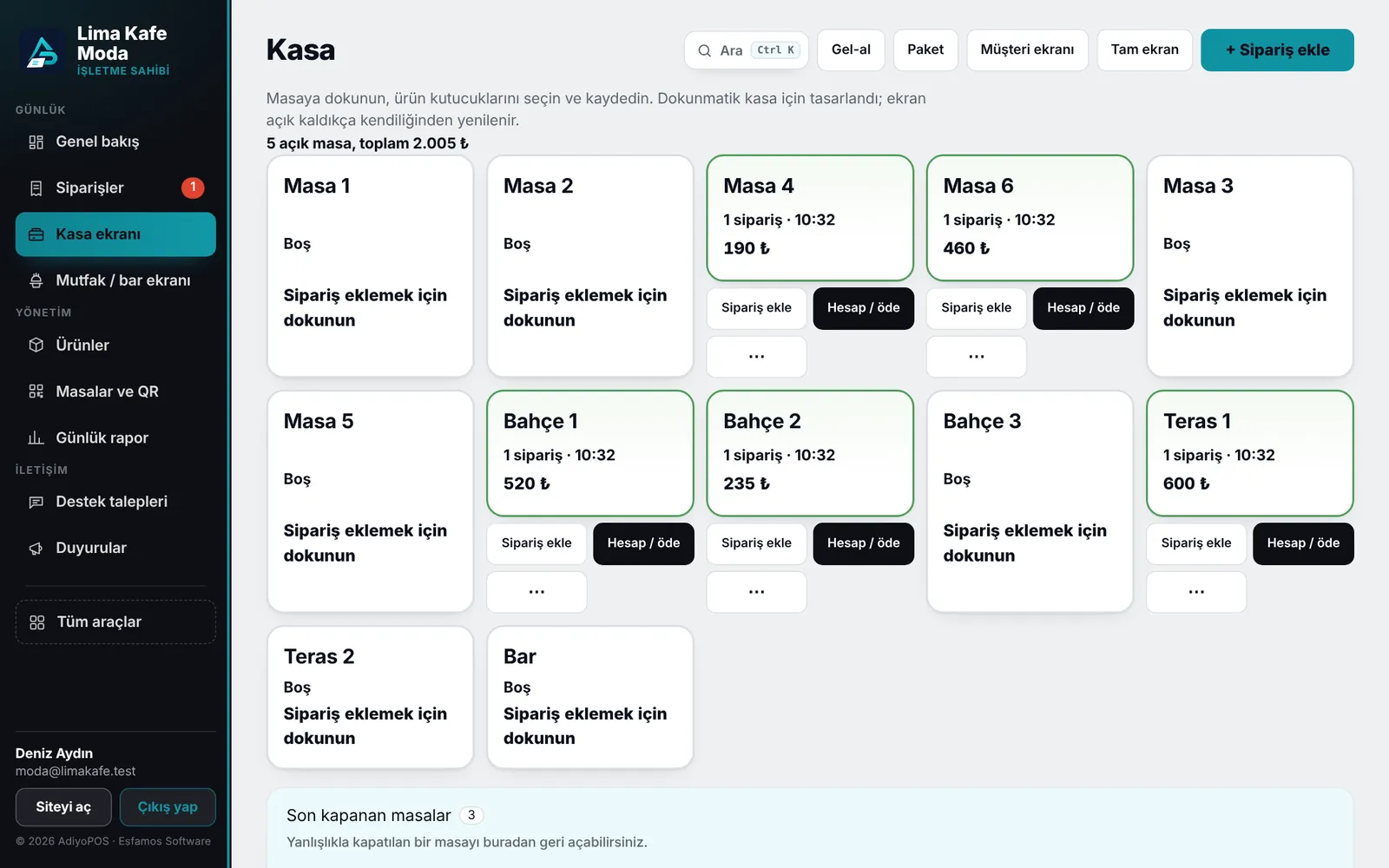
Table status at a glance: free, occupied, asked for the bill. Tap a table, add products, split the bill by item or equally.
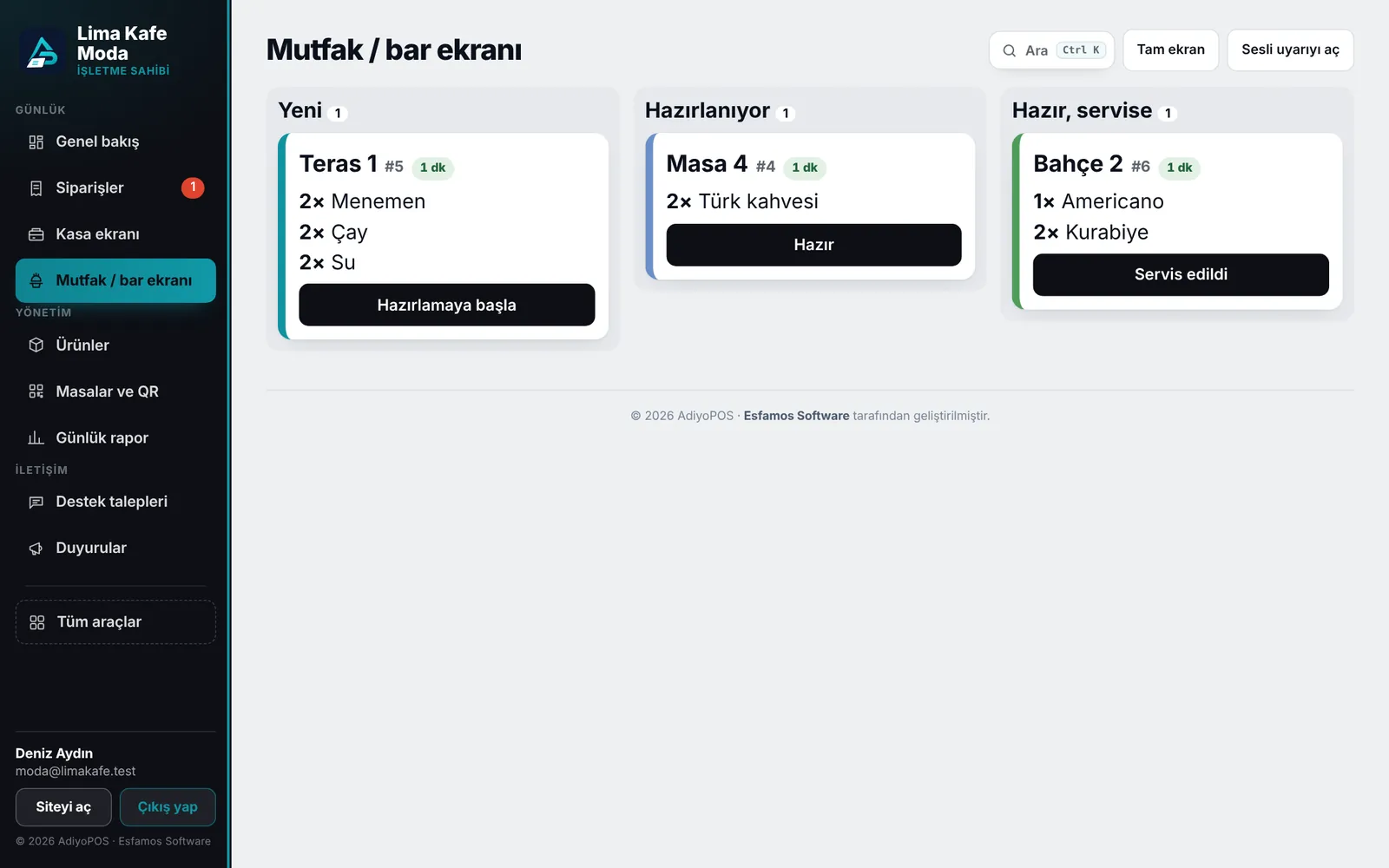
New orders land with a sound; cards move through New, Preparing and Ready columns. Each card shows how long the order has been waiting.
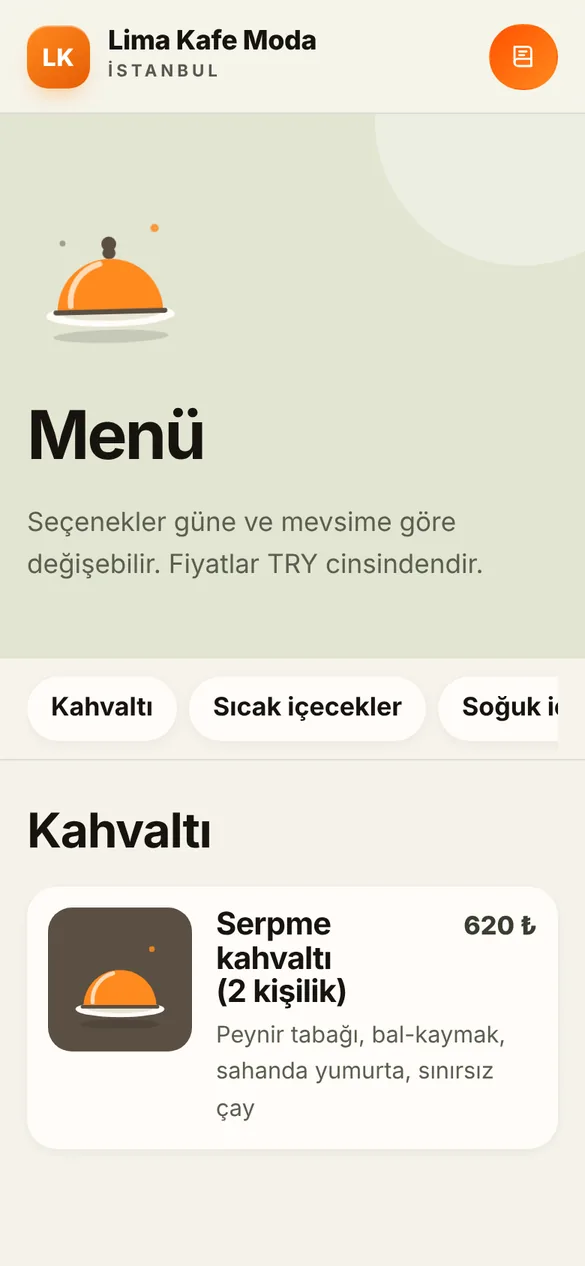
A customer scanning the table code sees the menu in their language, sends the order, calls the waiter or asks for the bill. No app, no sign-up.
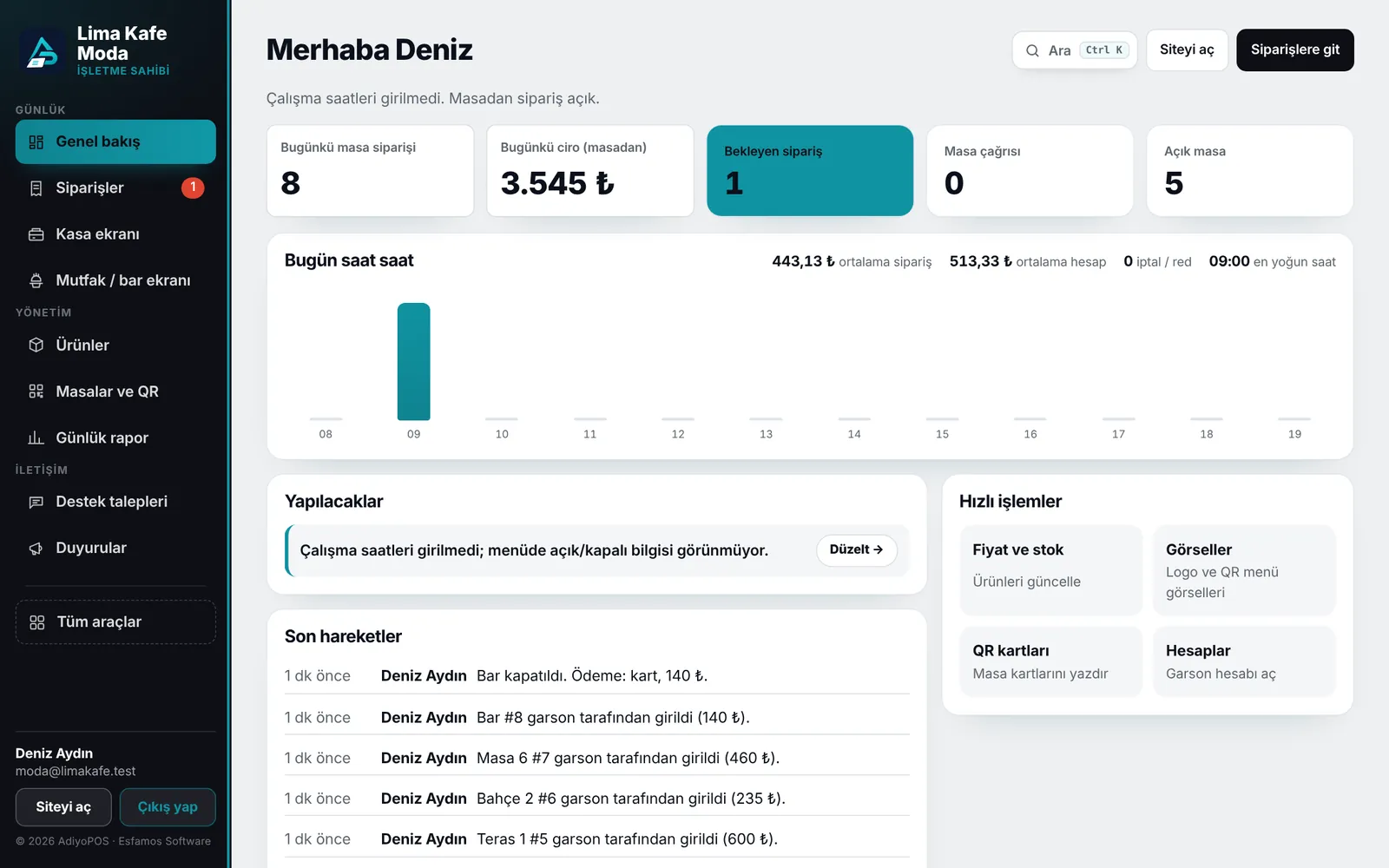
Revenue, payment types, best sellers and service speed update throughout the day; the end-of-day report is ready with one tap.
Revenue, orders, service speed and ranking of all branches on one screen. You manage the menu, campaigns and loyalty program from head office.
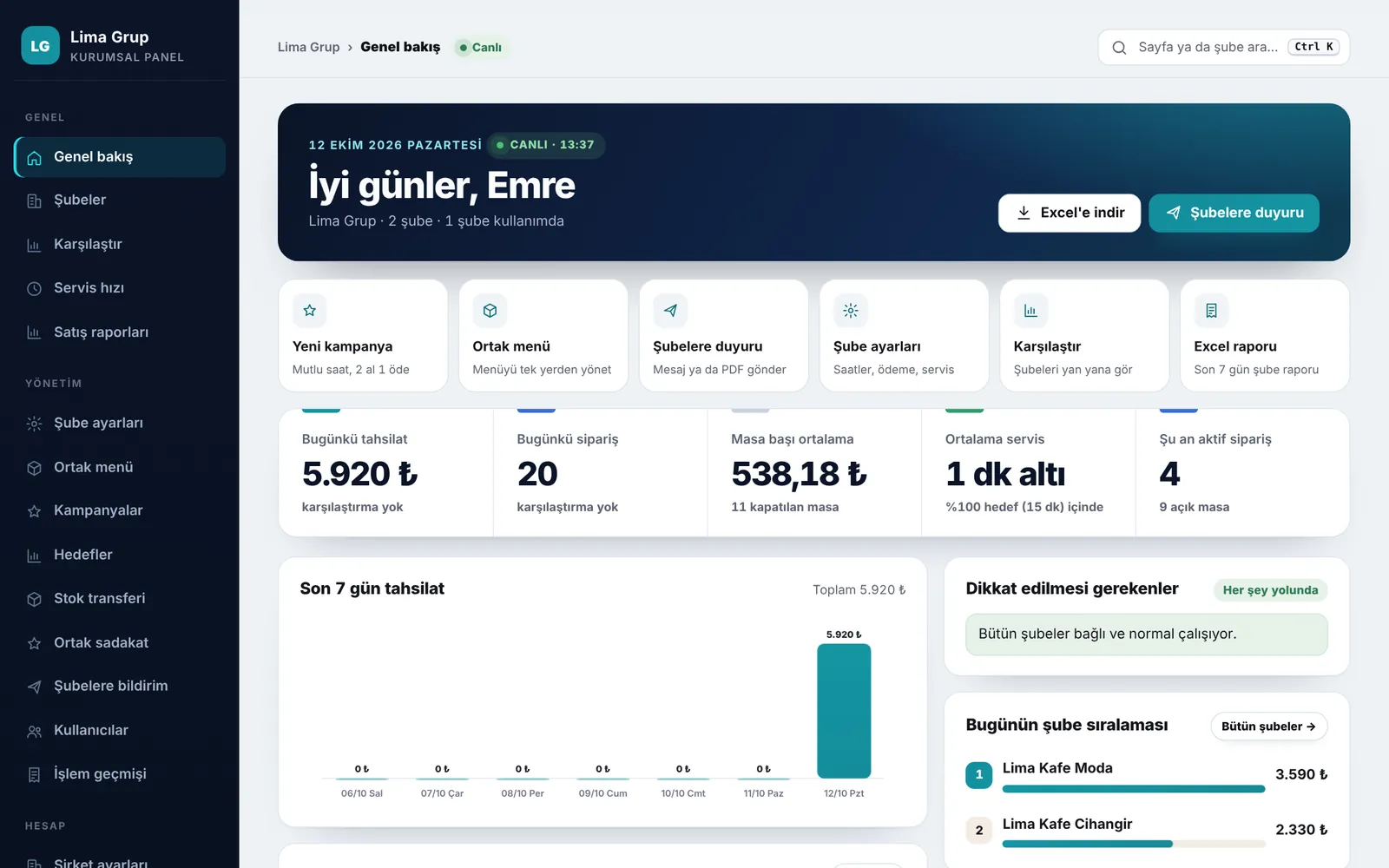
Each would be a separate program on its own. In AdiyoPOS they work with the same data, on the same screen.
Waiters order from a tablet or guests from the QR menu; the order lands on the kitchen screen and printer instantly. When the bill is closed, the fiscal receipt prints from the fiscal device. The till keeps working when the internet drops and syncs when it's back.
Enter each product's recipe once; as it sells, the ingredients used come off stock automatically. When costs change you see your margin right away, and you're alerted when an ingredient runs low.
Sales, payment types and best sellers are live throughout the day. In the evening you count the till; the system shows the difference from the expected amount and records the Z number. The monthly report prints in one click.
Each branch uses its own panel; you follow them all from one company panel. You manage the menu and campaigns centrally and compare branches on sales and service speed.
In the middle of service the internet, the cash register or the till computer can go down. Below is how the system behaves today; the messages on screen are exactly the same.
The till lost its internet connection
Cash register off or not at its main menu
The till computer was turned off
An order is entered once at the till; the same order is never saved twice when the connection returns. Fiscal receipts are tracked one by one in the panel: printed, queued or failed.
You enter the order once. When the bill closes, the fiscal receipt comes from a supported register and the bill and kitchen ticket print from the network printer automatically.
Your business's revenue, customers and menu are kept on secure servers and backed up every day.
All plans free for 30 days. Simple packages for small businesses, unlimited tables and staff for growing ones.
For small businesses
Cafés, patisseries and kiosks that want just a digital menu
Small businesses that want orders from the table
Businesses taking QR orders with unlimited tables and staff
Billed monthly, cancel anytime.
With yearly payment $690 ($57.50 per month)
Try freeRecommended
Restaurants that run POS, kitchen and service in one system
Billed monthly, cancel anytime.
With yearly payment $1,090 ($90.83 per month)
Try freeBusinesses and chains with more than one branch
We quote based on your number of branches.
ApplyPrices exclude VAT and other taxes; tax for your country is shown separately on the invoice. Pay by card or bank transfer. You can upgrade your plan at any time; every feature is open during the trial. Cancellation and refunds
Sign up yourself and enter your menu, tables and opening hours in two minutes with the setup wizard.
Open a business accountWith an enterprise account each branch uses its own panel; you follow them all from one screen and manage the menu, campaigns and shared loyalty from head office. Let's plan setup and pricing for your number of branches together.
If you can't find what you're looking for, after signing up you can 7/24 open a support ticket from the panel or [email protected] or write to.
No. The QR code is scanned with the phone camera and the menu opens in the browser.
It works with Accent Synergy, David and Fiditek in North Macedonia and ErpNet.FP-supported devices in Bulgaria. Your register connects by cable to the POS computer and the receipt comes from the system. Turkey's new-generation fiscal registers need a manufacturer agreement; until then you issue the receipt manually from the register.
Tablet, phone, laptop or touch POS screen; any device with an up-to-date browser. No separate program to install.
Unlimited on Starter, Professional and Enterprise; we don't charge by tables, products or staff. For small businesses, QR Menu has 1 user and Mini up to 10 tables and 2 users. Each staff member sees only their role's screen.
Orders entered at the till are stored on the device and sent only once when the connection returns. If the cash register or till computer is off, fiscal receipts wait in a queue and print by themselves when the device is ready. Your data is backed up every day.
All features are open for 30 days. You choose your plan before it ends; if you don't, your data isn't deleted and you continue where you left off once you pay.
By credit card or bank transfer. For transfers, just write your business's customer number in the description.
Upload your menu, print the QR cards, start serving.